 SnagBane
 is built to be reviewed by your security team. It runs on your own server, encrypts every secret with your key, signs and verifies updates, and records sign-ins, decisions and changes in an audit log. Most of this is on every plan; the Enterprise plan adds the security package for regulated companies.
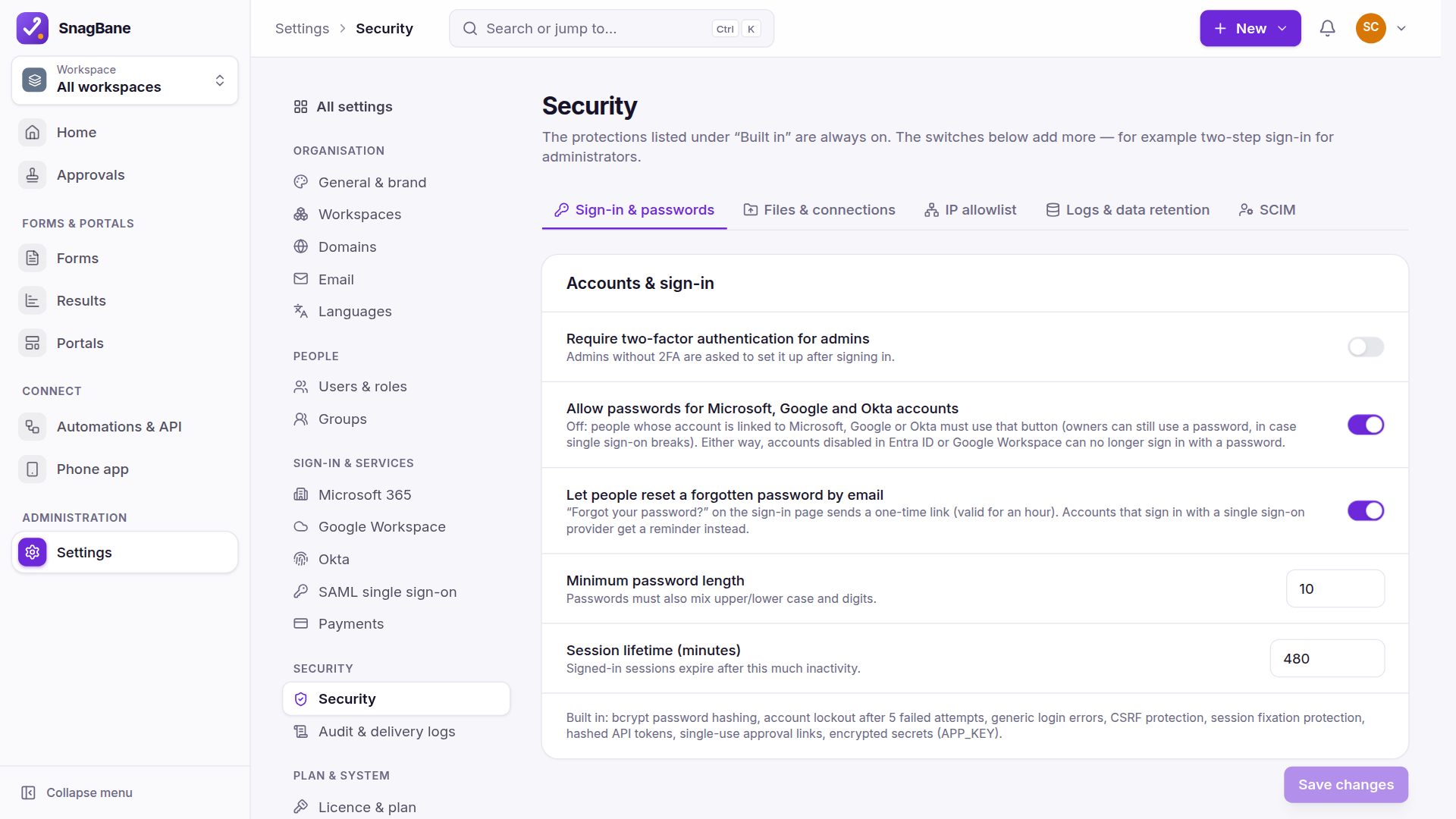
Accounts and sign-in
- Two-factor authentication (authenticator app, recovery codes) — can be required for administrators.
- Lockout after repeated failed sign-ins, the same behaviour for unknown addresses, strong password rules, bcrypt hashing.
- Password reset links valid for an hour, stored only as a hash, rate-limited; using one never skips two-step verification.
- Single sign-on with Microsoft, Google, Okta or SAML (Business).
- New people start as Respondent; directory sign-ins never create administrators.
Approvals
- Personal, single-use approval links — changing the approver kills the old link at once.
- No approving your own request — on by default for new stages, also for administrators.
- Actions only after the final decision, so data never reaches other systems for requests that are later rejected.
The application
- Strict Content-Security-Policy with per-request nonces, clickjacking protection, HSTS, nosniff and referrer policy.
- Uploads: extension allow-list, content sniffing, scripts, executables, SVG and HTML blocked, random names, private storage outside the web root.
- SSRF protection for every webhook and integration (private and cloud-metadata addresses blocked, DNS-rebinding safe), with an admin allow-list for trusted internal hosts.
- Secrets encrypted with your own key; API tokens, approval, edit and resume links stored only as hashes.
- Every answer, branching path and calculation re-validated on the server; answer keys never leave the server; formula-injection protection in spreadsheet exports.
- Links in emails and webhooks use your verified address only, so they can't be spoofed via the Host header.
- Signed updates with backup and restore.
Audit log
Sign-ins and failures, user and role changes, API tokens, settings, integrations, forms and portals, exports and deletions, updates and approvals are recorded. Administrators can export it as CSV or JSON lines.
Enterprise: the security package
Audit log streamed to your SIEM, data retention policy, sign-in limited to chosen groups, automatic offboarding, an IP allowlist and SCIM provisioning — see the Enterprise security package.
Frequently asked questions
How do we report a vulnerability?
Privately, as described in our vulnerability disclosure policy and security.txt.
What leaves our server?
Only what you set up (integrations, email) plus update and licence checks. The security page lists exactly what is sent.
See Security features in the documentation.