SnagBane
 notifies approvers in their Microsoft Teams activity feed and lets them approve or reject inside Teams. When a request waits for someone — or becomes overdue, or someone clicks Remind — a notification appears in Teams; it opens the request in SnagBane's Approvals app, already signed in with the Teams account. No Power Automate flow and no bot are needed. Approvals in Teams are part of the Business plan.
How it works for approvers
- A request reaches a stage they approve.
- Teams shows an activity notification with the request.
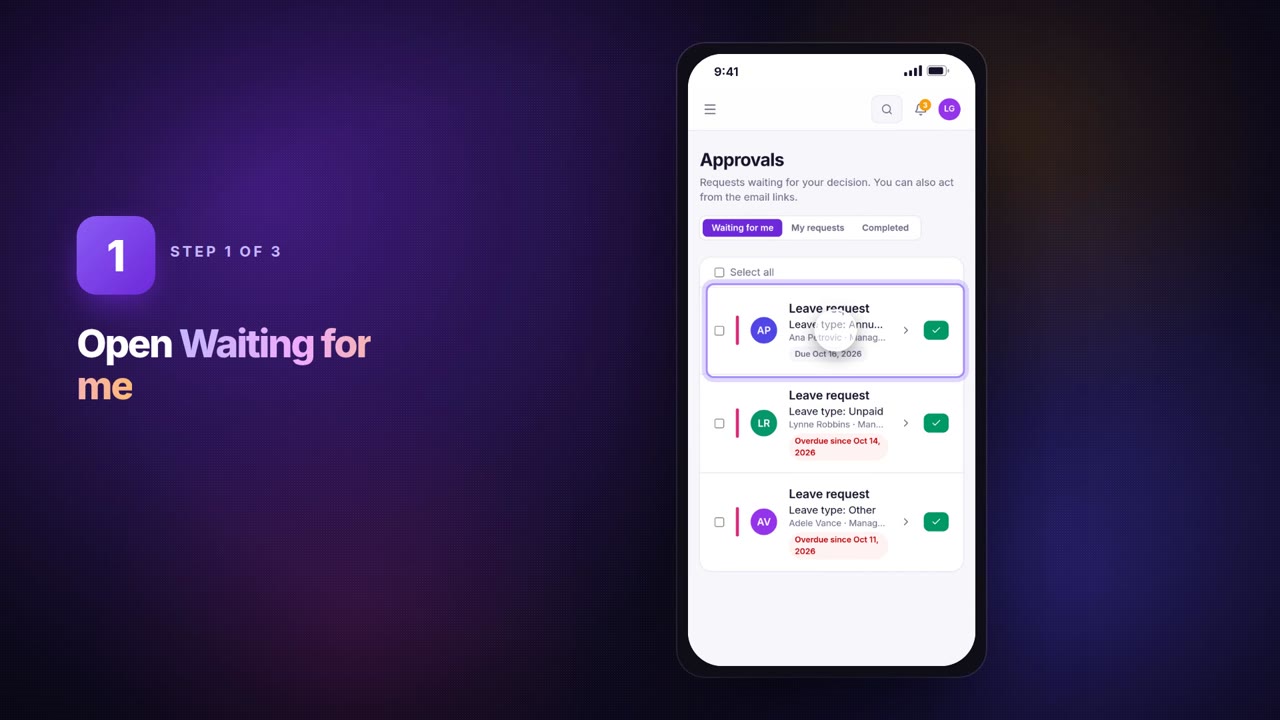
- They open it inside Teams, read the answers and files, and Approve or Reject with a comment.
Email and phone notifications keep working alongside. The app's personal Approvals tab lists everything waiting for that person.
Setup in four steps
- Permission. Under Settings → Microsoft 365 → Re-run setup / change permissions, tick Notify approvers in Microsoft Teams (application permissions TeamsActivity.Send and AppCatalog.Read.All) and sign in once as a Global Administrator.
- Teams sign-in must be on (card Microsoft Teams sign-in on the same page).
- The app. On the card Approvals in Microsoft Teams, either download the app and upload it in Teams Admin Center, or click Publish to Teams and Install for everyone (or a group) straight from SnagBane.
- Test. Turn the switch on and send a test notification to a colleague.
Microsoft delivers activity notifications only to people who have the app installed. With the optional permission to install Teams apps for people, SnagBane installs it for an approver who doesn't have it yet, then sends the notification.
Portals as Teams apps
Any portal can become a Teams app with its own icon in the app bar: people are signed in with their Teams account, see the forms they may use and follow My requests. The company portal turns every workspace into a department on one page — a good company tab in Teams.
Frequently asked questions
Do approvers need a Teams licence?
Yes, to receive Teams notifications they need Teams in your tenant. Everyone else can still approve from the email link or the phone app.
What if the Teams notification fails?
The request isn't affected: the approver still gets the email. The card in SnagBane shows the last error, for example that the app isn't installed for that person yet.
Does it work with Power Automate approvals?
It replaces them for SnagBane forms: the stages, conditions and reminders live in SnagBane. Power Automate can still be triggered by approval events if you want other flows.
More in the documentation: Approvals in Microsoft Teams and Portals in Microsoft Teams.