SnagBane
 forms can show a question only when earlier answers match, and calculate values from other answers. Use conditions to ask Business justification only when the cost is over 500, calculations to total an order or count leave days, and piping to put an earlier answer into a later question or the confirmation message. Every rule is enforced again on the server. All of it is on every plan, including Free.
Conditions: show a question only when it's needed
Open a question, go to Show advanced options → Show only if… and add one or more conditions on earlier answers:
| Condition | Example |
|---|---|
| Equals / doesn't equal | Show Laptop model when Equipment is Laptop |
| Greater / less than | Show Business justification when Estimated cost > 500 |
| Contains | Show Allergy details when Dietary needs contains Allergy |
| Is answered / is empty | Show Reason for urgency when Needed by is answered |
| Several at once | All of them, or any of them |
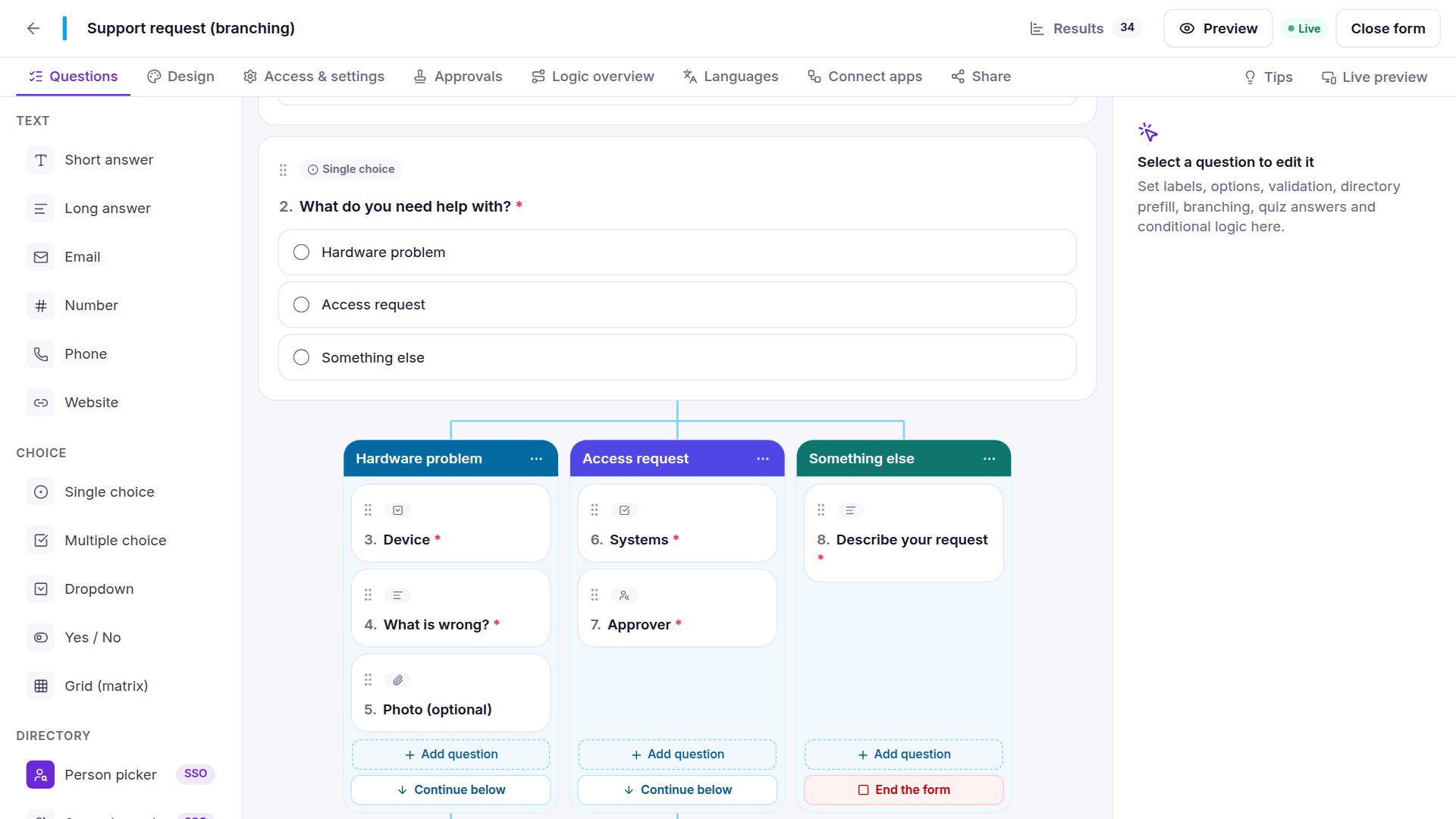
Hidden questions are never validated and never stored, so a required question that is hidden doesn't block anyone. For whole groups of questions per answer, branching columns are clearer.
Calculations: totals, days and scores
Add a Calculation question and write a formula with the other questions' names:
| Formula | Result |
|---|---|
{qty} * {price} | Line total |
SUM({items.amount}) | Total of a repeating table column |
DAYS({from}, {to}) | Number of days between two dates |
IF({total} > 500, "Finance", "Manager") | A label that changes with the amount |
ROUND({hours} * {rate}, 2) | Rounded cost |
Supported: + - * / %, comparisons, AND/OR and the functions SUM AVG MIN MAX ROUND FLOOR CEIL ABS COUNT IF CONCAT DAYS TODAY. Give choice options a number to score them (for risk assessments or quizzes). Totals update live while people fill in the form and are always recomputed on the server, so a total can't be changed in the browser.
Calculated values can drive the rest of the form: an approval stage only when the total is over 500, a condition on a later question, or a column in Excel.
Piping: reuse earlier answers
Put {{variable_name}} in any question, description, confirmation or receipt message to insert an earlier answer — “Thanks {{first_name}}, your request for {{days}} days has been sent to your manager.” The same merge tags work in emails and integrations.
Validation
Required questions, minimum and maximum values, text length and patterns, and earliest/latest dates are checked while people type and again on the server.
Frequently asked questions
What is the difference between conditions and branching?
A condition shows or hides one question. Branching gives each answer of a choice question its own group of questions, side by side. Many forms use both.
Can a calculation decide who approves?
Yes. Approval stages have their own conditions, and they can use calculated values — for example, add the Finance stage only when the calculated total is over 500.
Are hidden answers saved?
No. Answers to hidden questions and skipped sections are discarded, and the server checks the rules again when the form is sent.
More in the documentation: conditional logic and calculations & piping.