SnagBane
If a server runs PHP, update it now. On 21 October 2026 the PHP project fixed two critical flaws in PHP itself, CVE-2026-109618 and CVE-2026-109619, each rated CVSS 9.2. Both can let an attacker run code on the server without signing in. The safe versions are 8.2.35, 8.3.36, 8.4.27 and 8.5.12 or newer. This guide shows how to check your version and update on Docker, Ubuntu, Debian, RHEL-based servers, hosting control panels and Windows.
This affects every PHP application, not only SnagBane: WordPress, Laravel, Drupal, Nextcloud and anything else running on PHP. An application's own updater cannot fix it, because the fix is in PHP, not in the application.
What was fixed
| CVE-2026-109618 | CVE-2026-109619 | |
|---|---|---|
| Advisory | GHSA-w8hw-w9fx-j79w — RCE via OOM corruption | GHSA-6wmf-4rv5-p3rp — RCE via stale global state |
| Severity | Critical, CVSS v4 9.2 | Critical, CVSS v4 9.2 |
| What happens | Request shutdown after an out-of-memory error can work on half-initialised memory; malformed multipart uploads can trigger it | Request-owned state can survive into the next request on the same worker (use-after-free) |
| Impact | Remote code execution as the web server's user, no sign-in needed | Memory disclosure and remote code execution, no sign-in needed |
| Affected | Every PHP version below the fixed releases | Every PHP version below the fixed releases |
The advisory reports a working exploit against Apache with mod_php and calls PHP-FPM, FrankenPHP and LSAPI susceptible. Both advisories say that updating is the only reliable fix.
Which versions are safe
| PHP branch | Safe from |
|---|---|
| 8.5 | 8.5.12 |
| 8.4 | 8.4.27 |
| 8.3 | 8.3.36 |
| 8.2 | 8.2.35 |
| 8.1 and older | No upstream fix — these branches are out of support. Move to 8.3 or newer, or use a vendor that backports fixes (Ubuntu and Debian do for their own packages) |
Distribution packages keep their old version number. Ubuntu and Debian backport fixes into the PHP they ship. Ubuntu 24.04's fixed package is 8.3.6-0ubuntu0.24.04.13, and php -v still prints 8.3.6. On those systems, check the package version, not the PHP version (see below).
Step 1: find out what you run
php -vRun it on the server, or inside the container on Docker (docker compose exec app php -v). The web server can use a different PHP than the command line, so also check your application's health or info page if it has one.
On Debian and Ubuntu, see which package is installed:
dpkg -l | grep -E '^ii +php[0-9.]+-(cli|fpm|common)'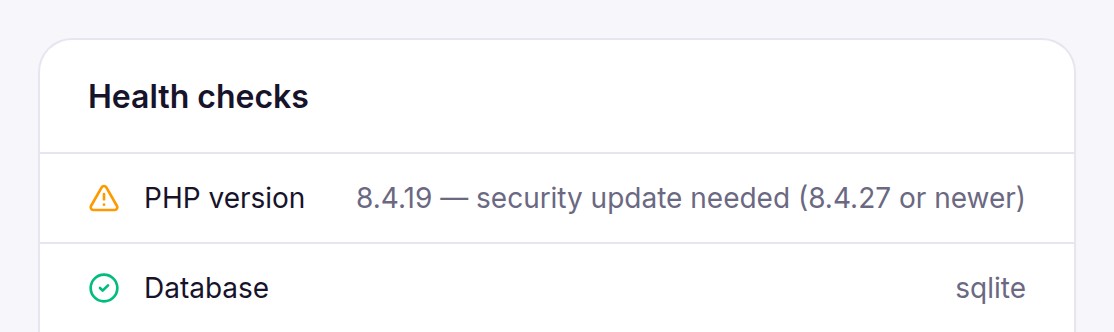
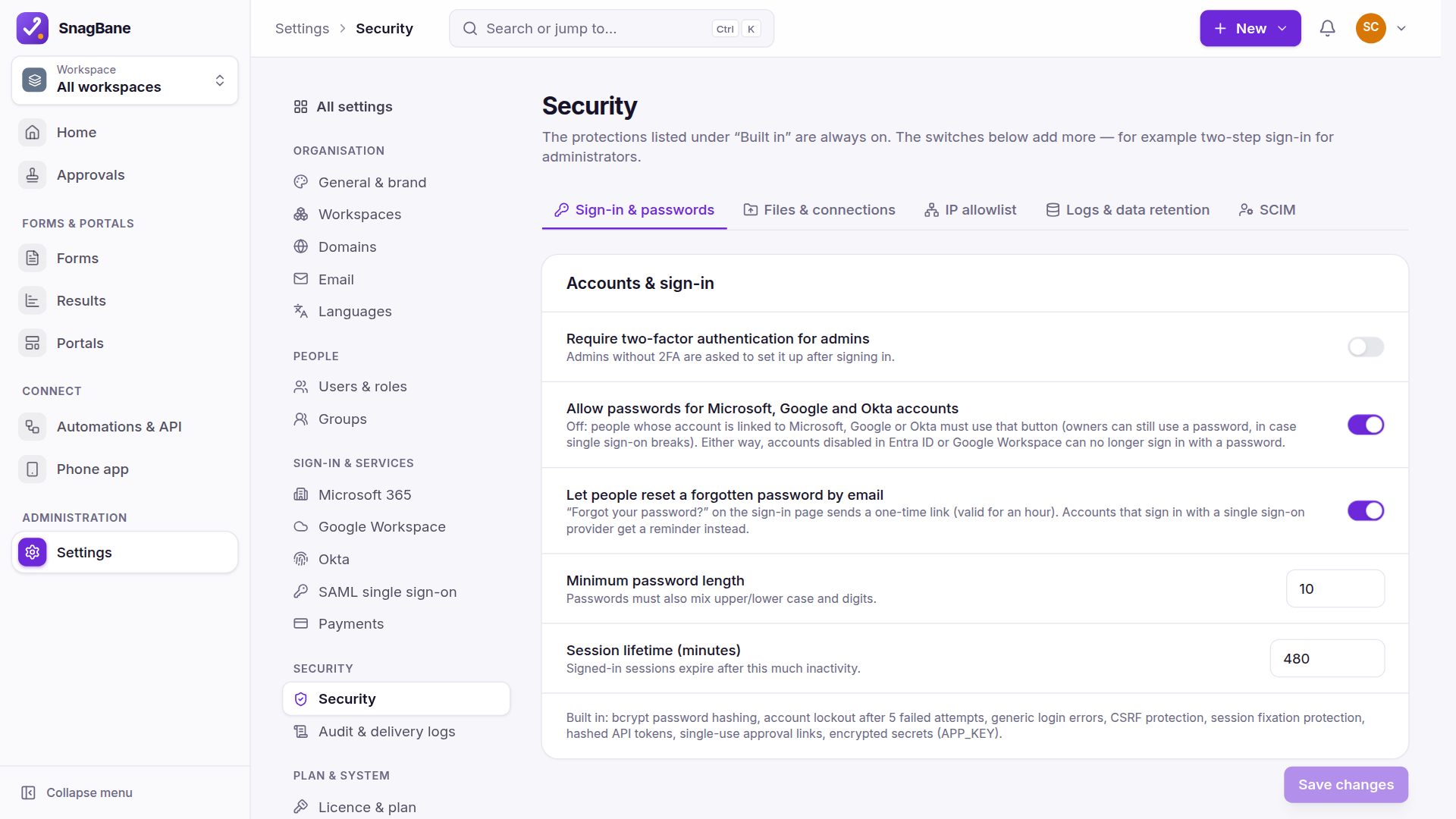
SnagBane shows this check in Settings → System & updates: PHP version turns into a warning with the version to install until the server is patched. From SnagBane 2.54.9 it also recognises distribution builds that carry the fix under an older version number.
Step 2: update
Docker (official php images)
The official php images on Docker Hub were rebuilt on 21 October: exact tags such as php:8.3.36-apache exist, and moving tags such as php:8.3-apache now point to the fixed release. Rebuild your image so it pulls the new base, then restart:
docker compose build --pull --no-cache
docker compose up -d
docker compose exec app php -v
--pull is the important part: without it Docker happily reuses the old base image from its cache. Pin the exact version in your Dockerfile (for example FROM php:8.3.36-apache) so a rebuild can never fall back to an unpatched image. If you only pull ready-made images, docker compose pull && docker compose up -d is enough once your vendor has published a rebuilt image.
Ubuntu
Ubuntu published the fixes as USN-8948-1 and USN-8948-2. With Ubuntu's own PHP packages:
sudo apt update
sudo apt install --only-upgrade 'php8.3*'
apt policy php8.3-cli
The installed version must be at least the fixed one from Ubuntu's CVE page — on 24.04 LTS that is 8.3.6-0ubuntu0.24.04.13. If you use the popular ppa:ondrej/php repository instead, its packages follow PHP's own numbering: after sudo apt update && sudo apt upgrade, php -v should show 8.3.36 (or 8.4.27 / 8.5.12).
Debian
| Debian release | Package | Fixed in | Notice |
|---|---|---|---|
| 13 (trixie) | php8.4 | 8.4.27-1~deb13u1 | DSA-6574-1 |
| 12 (bookworm) | php8.2 | 8.2.35-1~deb12u1 | DLA-4848-1 |
sudo apt update
sudo apt upgrade
apt policy php8.4-cli
RHEL, AlmaLinux, Rocky Linux and Fedora
Update the PHP packages with your package manager, then compare the result with your vendor's advisory for the two CVEs (Red Hat, AlmaLinux, Rocky and Fedora each publish their own):
sudo dnf upgrade 'php*'
rpm -q php-cli
If you use the Remi repository, its packages follow PHP's own numbering, so php -v should show the fixed release.
cPanel, Plesk and shared hosting
On shared hosting the provider updates PHP, not you. Check the PHP version shown in your control panel; if it is still below the fixed release, ask the provider when they will update, or switch the site to an updated PHP version in the panel's PHP selector if one is offered. If you run your own cPanel or Plesk server, apply the panel's system and PHP updates as you normally do, then check the version again.
Windows
Download the new build from windows.php.net (same thread-safety and architecture as before), replace the PHP folder, keep your php.ini, and restart IIS or Apache. Local stacks such as Laragon or XAMPP: add the new PHP build and switch to it.
Step 3: restart PHP, then check again
Running PHP processes keep the old code in memory until they restart. After updating packages, restart whatever runs PHP:
sudo systemctl restart php8.3-fpm     # PHP-FPM (use your version)
sudo systemctl restart apache2        # Apache with mod_php (httpd on RHEL)
Then run php -v again and open your application's health page. On Docker, docker compose up -d after the rebuild already starts fresh containers.
Can't update today?
Both advisories list partial mitigations. They reduce the risk but do not remove it, so use them only to bridge the hours until you can update:
- Block
multipart/form-datauploads at your proxy or firewall if the application doesn't need them. - Keep
post_max_sizesmall and limit request size, input variables and uploads at the front end. - Set
session.upload_progress.enabled = 0if you don't use upload progress. - On PHP 8.5, set
fatal_error_backtraces = 0. - Restart PHP workers after changing settings.
If the server is internet-facing and you can't patch it soon, the safest choice is to take it offline until you can.
What SnagBane did
- SnagBane 2.54.8 (21 October) pins its Docker image to
php:8.3.36-apacheand warns in Settings → System & updates while PHP is unpatched. - SnagBane 2.54.9 also accepts distribution builds such as Ubuntu's patched
8.3.6, so they no longer show a false warning. - The update documentation lists the same steps per installation type, and one-click updates bring the new SnagBane version itself.
Frequently asked questions
Does updating my application fix this?
No. The flaws are in PHP itself. Update PHP (the package, the container base image or the hosting PHP version), then restart PHP.
php -v still shows 8.3.6 after updating Ubuntu. Am I safe?
Probably yes, if the installed package is at least 8.3.6-0ubuntu0.24.04.13. Ubuntu backports fixes without changing the PHP version number. Check with apt policy php8.3-cli.
Is PHP 8.1 or older affected?
The advisories list every version below the fixed releases as affected, and PHP no longer releases fixes for 8.1 and older. Ubuntu and Debian patch their own packages of older branches; otherwise move to PHP 8.3 or newer.
Do I need to restart anything?
Yes. PHP-FPM and Apache keep the old PHP in memory until they restart. On Docker, the rebuilt container starts with the new PHP.
Sources
Facts about other products were checked against their public documentation on 22 October 2026. Products change — if something here is out of date, tell us at contact@snagbane.com and we will correct it.
- PHP project — security advisory GHSA-w8hw-w9fx-j79w (CVE-2026-109618, RCE via OOM corruption)
- PHP project — security advisory GHSA-6wmf-4rv5-p3rp (CVE-2026-109619, RCE via stale global state)
- PHP 8.3.36 release announcement
- PHP 8 ChangeLog
- Ubuntu security — CVE-2026-109618
- Debian security tracker — CVE-2026-109618
- Docker Hub — official php image